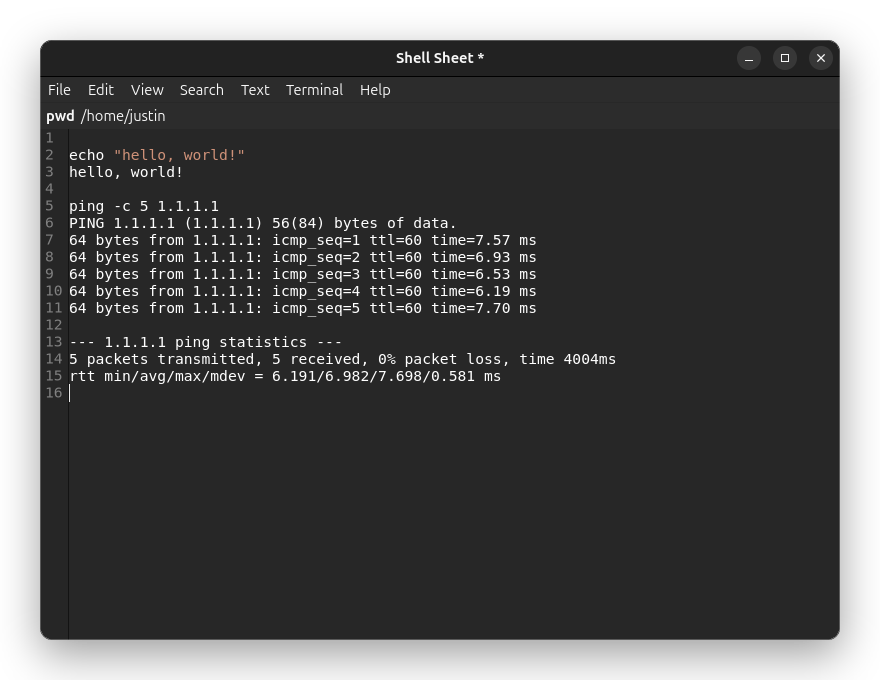
Shell Sheet is free and open source. It is a text editor where any line can be a shell command. Put the cursor on a line, press Ctrl+Enter, and the command runs, with its output landing in the document right underneath it. There is no cost and no license to manage, and the full source code is available under the MIT license.
Why a worksheet?
Most of us work out shell commands in a terminal and lose the thread as the scrollback grows. Shell Sheet keeps the whole session in one editable document. You can search it, rearrange it, clean it up, and save it, which makes it a good place to build a sequence of commands, keep the output beside them, and hand the result to a colleague. It is modeled on the Unix Worksheet in BBEdit, for people who want that workflow on Linux.
What it does
- Runs commands where you write them. Output is appended below the command. Commands that ask questions work too: type your answer and press Enter, and it goes to the command’s input.
- Handles sudo safely. A password prompt appears in a dialog, and the password goes straight from that dialog to
sudowithout passing through the editor. - Knows what it can’t host. Full-screen programs like
vimandhtopopen in a real terminal window, while long-running commands likepingstream into the document as usual. - Makes
cdstick. Acdline applies to every command after it, and the current directory is always visible in a bar above the document. - Shows when it’s busy. A bar names the running command, and Ctrl+C stops it.
It also includes shell syntax highlighting, find and replace with regular expressions, full undo and redo, and a Text menu of transformations such as sorting lines, changing case, and trimming whitespace.
Get it
Shell Sheet is a native GTK 4 application for Linux, written in C++. The repository includes an install script that detects your distribution (apt, dnf, pacman, or zypper), installs the build dependencies, builds the app, and adds it to your application menu. It can install to your home directory without root, and it has a dry-run mode that shows what it would do before changing anything.
Get Shell Sheet on GitHub. Because it is open source, you are welcome to read the code, report problems, suggest improvements, or send a pull request.